Everything your maintenance team uses, in one system.
Work orders, planned maintenance, stores and purchasing, reports and the phone app are in every plan. No modules to buy.
Real screens from the system.
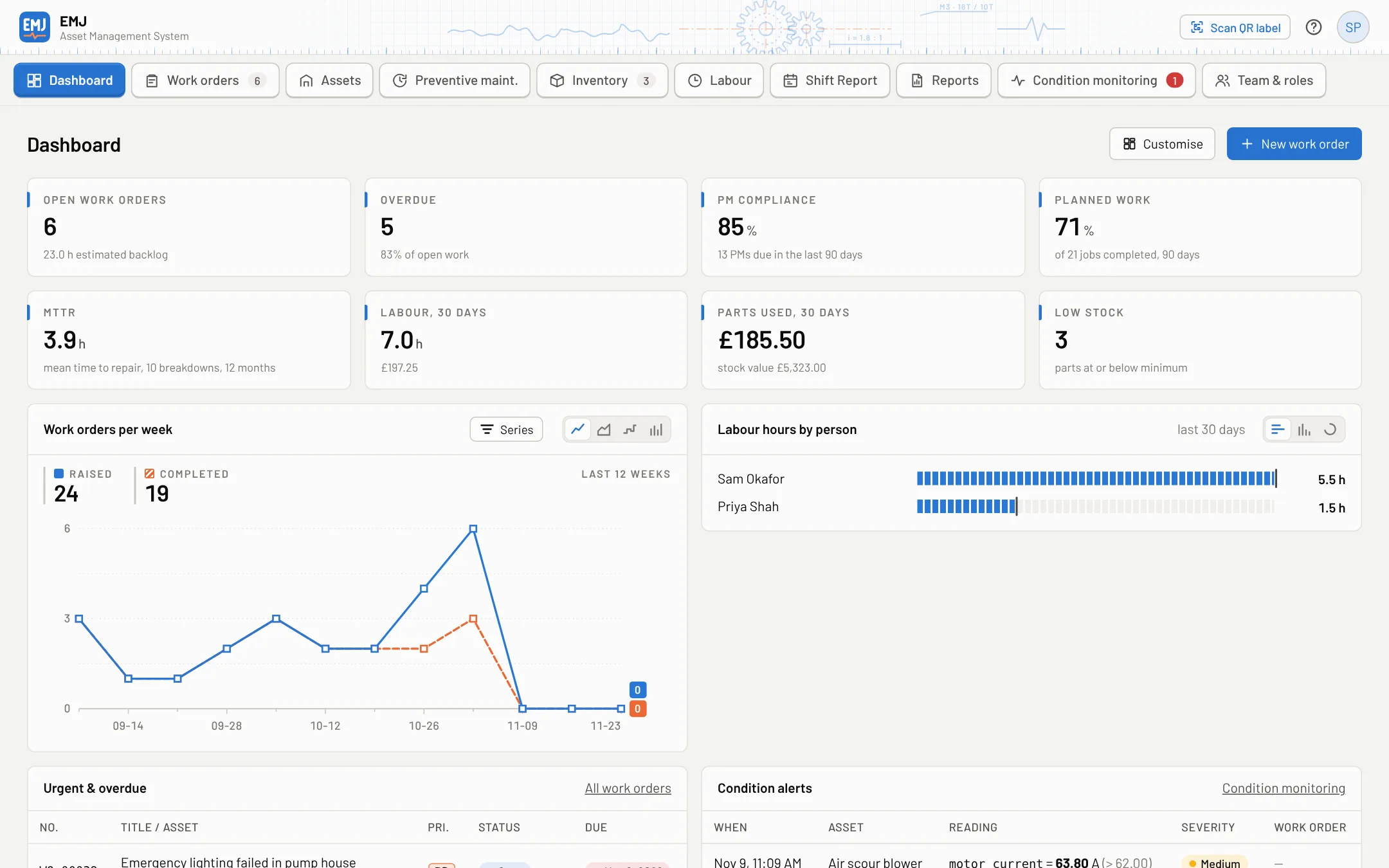
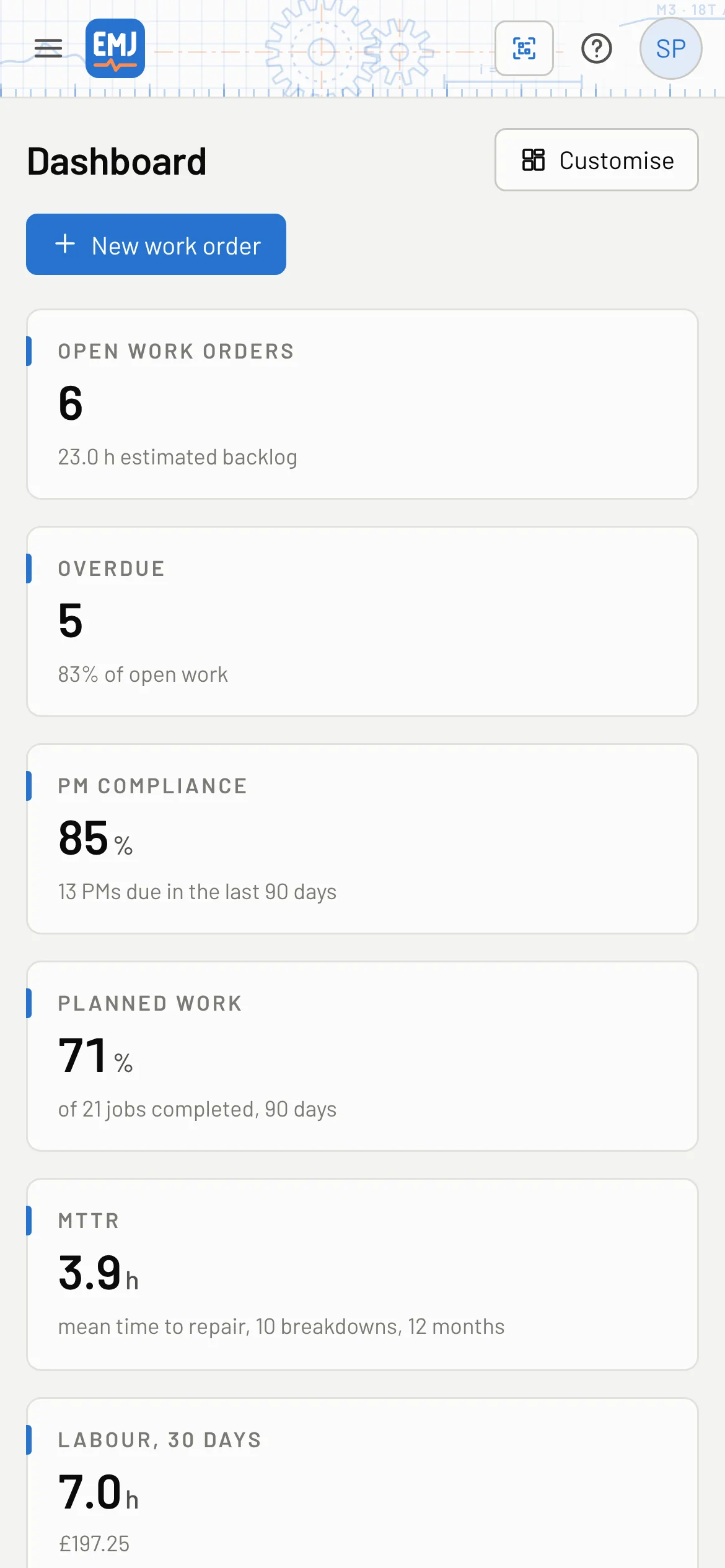
Everyone's own dashboard
Managers see the numbers; technicians see their jobs. Each person arranges their own.
- Open, overdue and urgent work at a glance
- PM compliance, planned %, MTTR and labour
- Drag, resize and add sections; saved to your login
- Light and dark mode
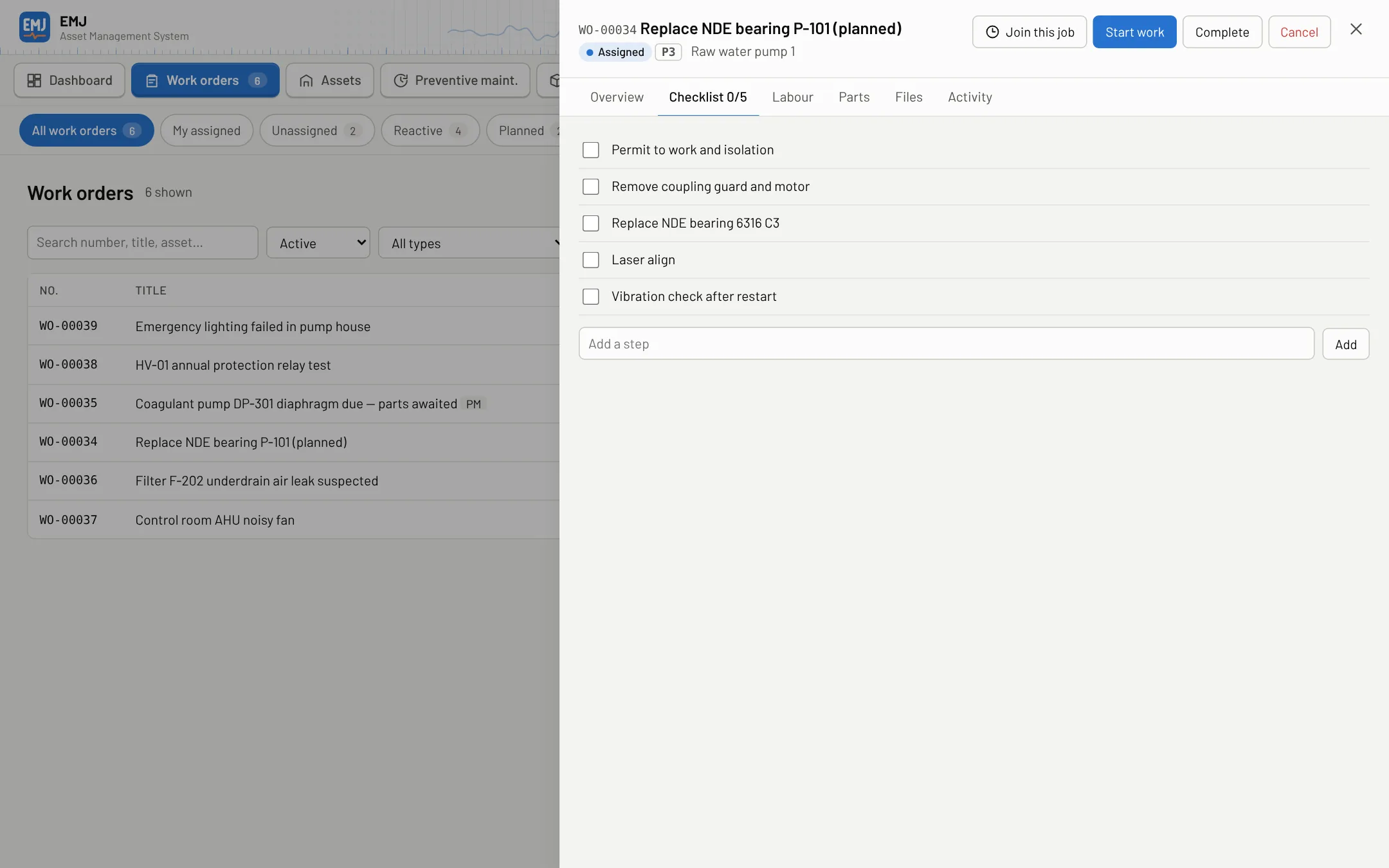
Jobs from request to sign-off
Requests are approved, assigned, worked and verified, with the full history kept.
- Job timers log labour as the work is done
- Photos, manuals and drawings on the job and the asset
- Downtime and cause recorded for MTBF and MTTR
- Lock-off photo required where isolation was needed
- Reactive and planned views, filters and search
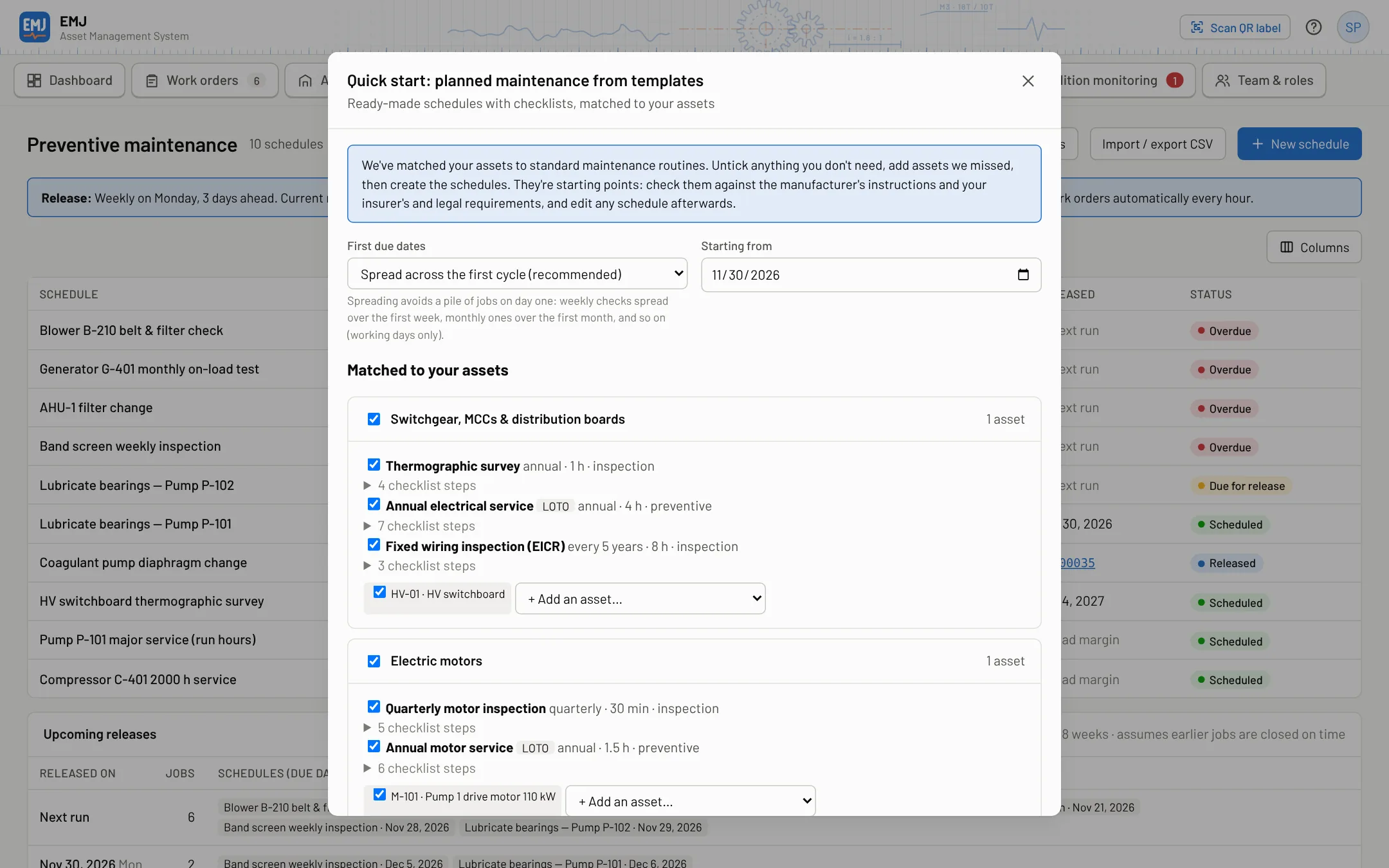
Planned maintenance in an afternoon
Quick start matches your assets to ready-made routines, with checklists, for pumps, motors, compressors, AHUs, conveyors, forklifts, fire systems and more.
- Calendar or run-hour schedules
- First due dates spread across the first cycle
- "LOTO required" on work that needs isolation
- Import PMs from your old system's spreadsheet
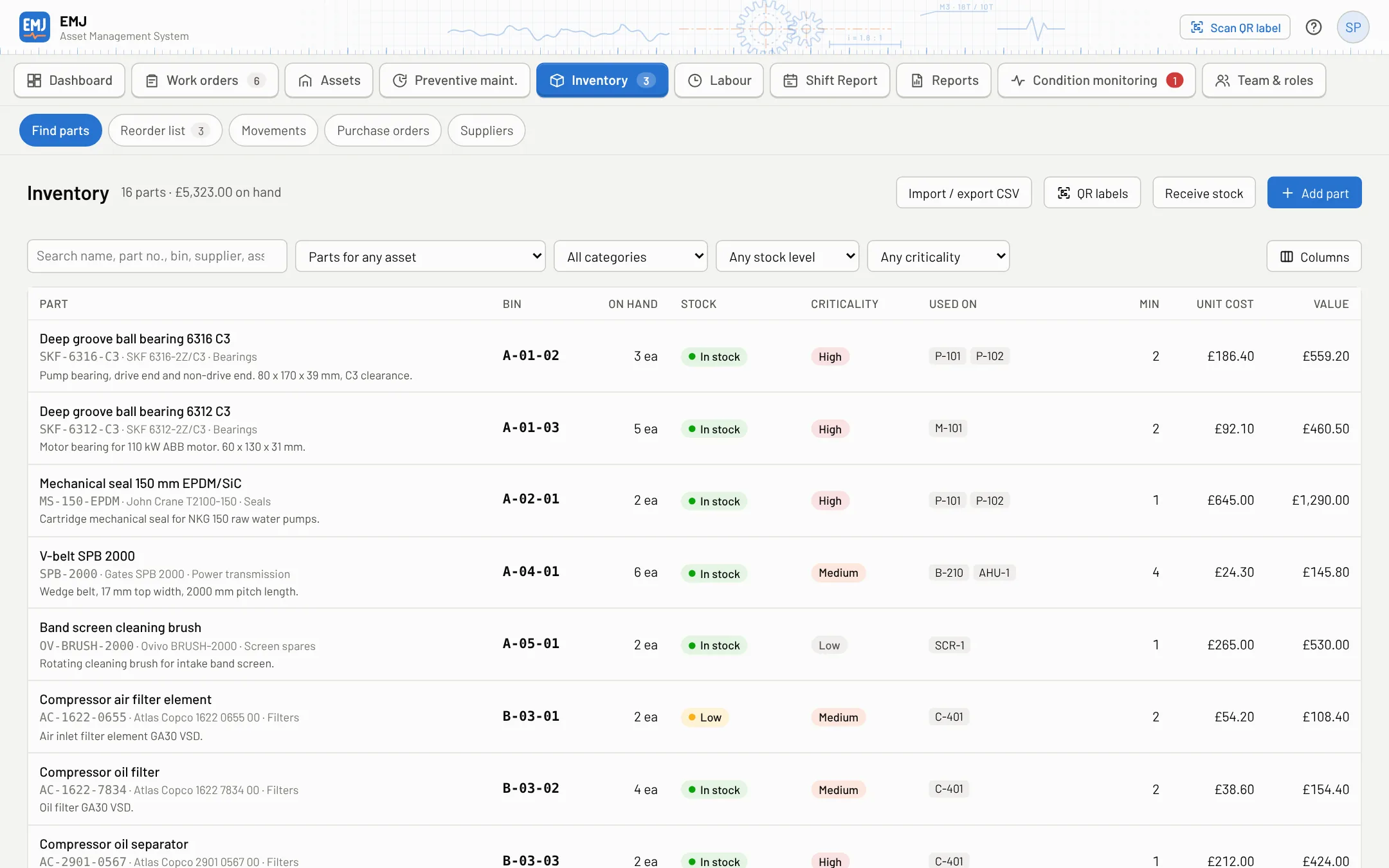
Stores and purchasing, in one place
Every part, its bin, what it fits and how many are left, with every movement recorded against a job or an order.
- Criticality on every spare (high, medium, low or consumable), so critical shortages are ordered first
- Print QR labels for parts, shelves and bins
- Low stock becomes purchase orders in one click
- Approval limits by role; orders emailed to suppliers as a PDF
- Deliveries booked straight into stores
- Bills exported for Xero, QuickBooks or Sage
The monthly report, done
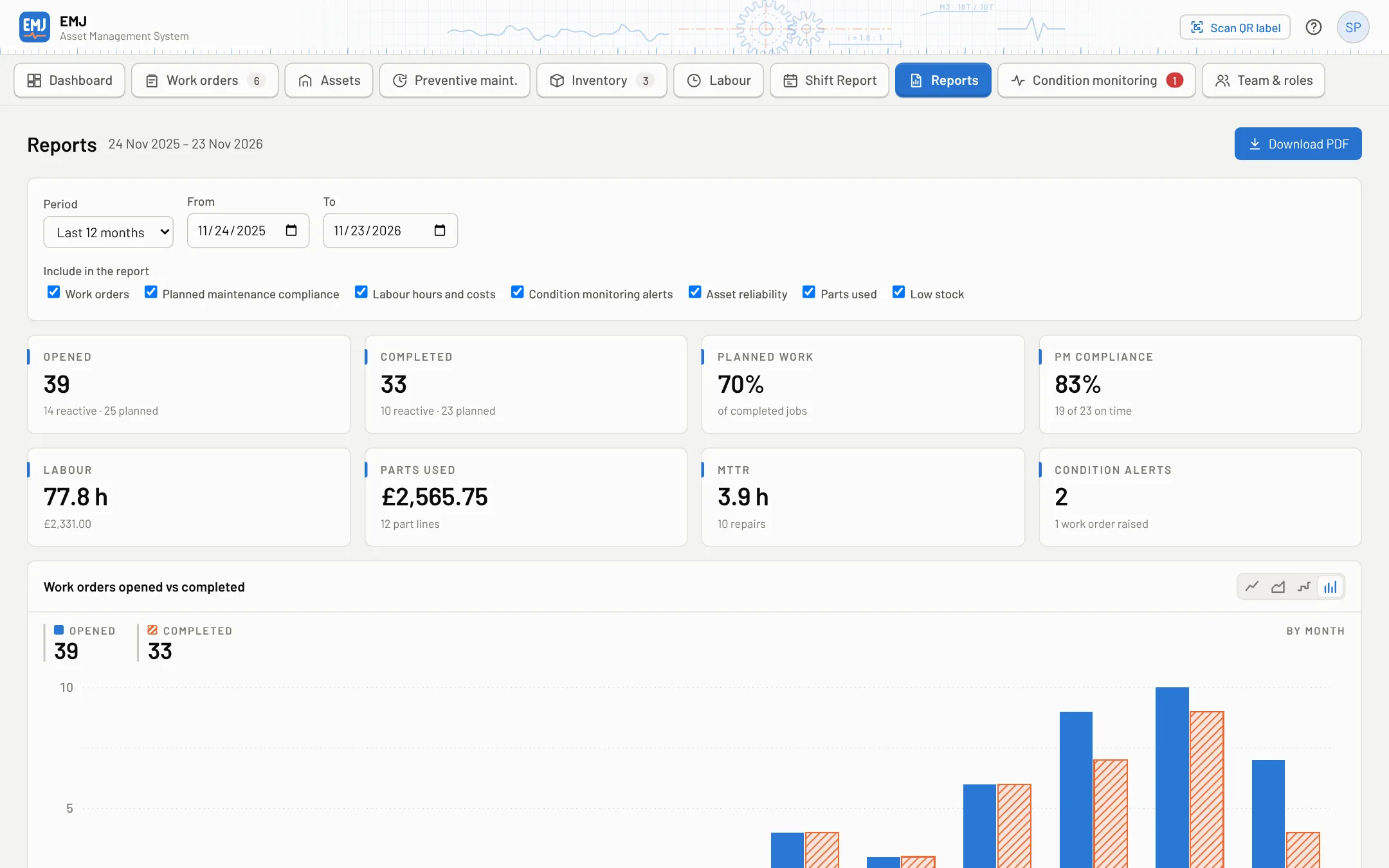
Pick a period and download a PDF with your logo, ready for the maintenance meeting.
- Work opened vs completed, planned vs reactive, as bars, lines or steps
- PM compliance, with anything missed listed
- Labour hours and costs, parts used, low stock
- Asset reliability: failures, downtime, MTBF, MTTR
Help where people need it
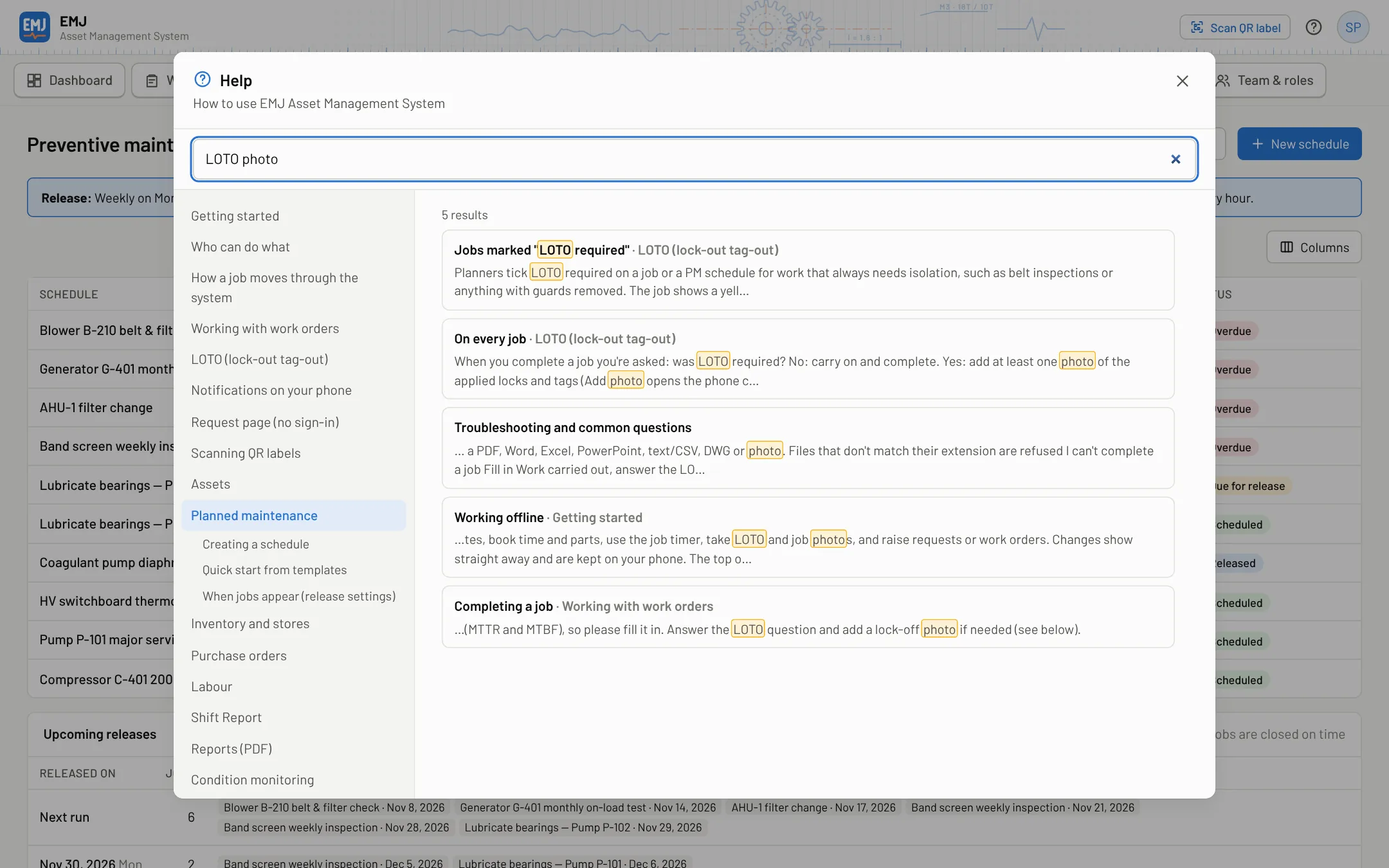
A full user guide inside the system. Press ? on any page to open the right section, or search it.
- Written for technicians, planners and managers
- Opens on the page you're looking at
- Search highlights every mention
- Fewer "how do I…" calls for the admin
Built for the shop floor.
QR labels and scanning
Scan a machine to see its jobs or raise one. Scan a bin to see what's in it. Labels print on standard Avery sheets or a label printer.
Phone app that works offline
Installs from your web address on iPhone and Android, with no app store, and keeps working without signal.
Shift reports by email
Crews, contractors and handover in one place. The end-of-shift email goes to the right group automatically.
Import from anywhere
Assets, spares and PM schedules from a spreadsheet or another system's export, with a preview of every row before anything is saved. Taking it all out again is one download, photos included.
Roles you control
Administrator, manager, planner, technician, storekeeper and requester, each adjustable. Requesters are always free.
Phone notifications
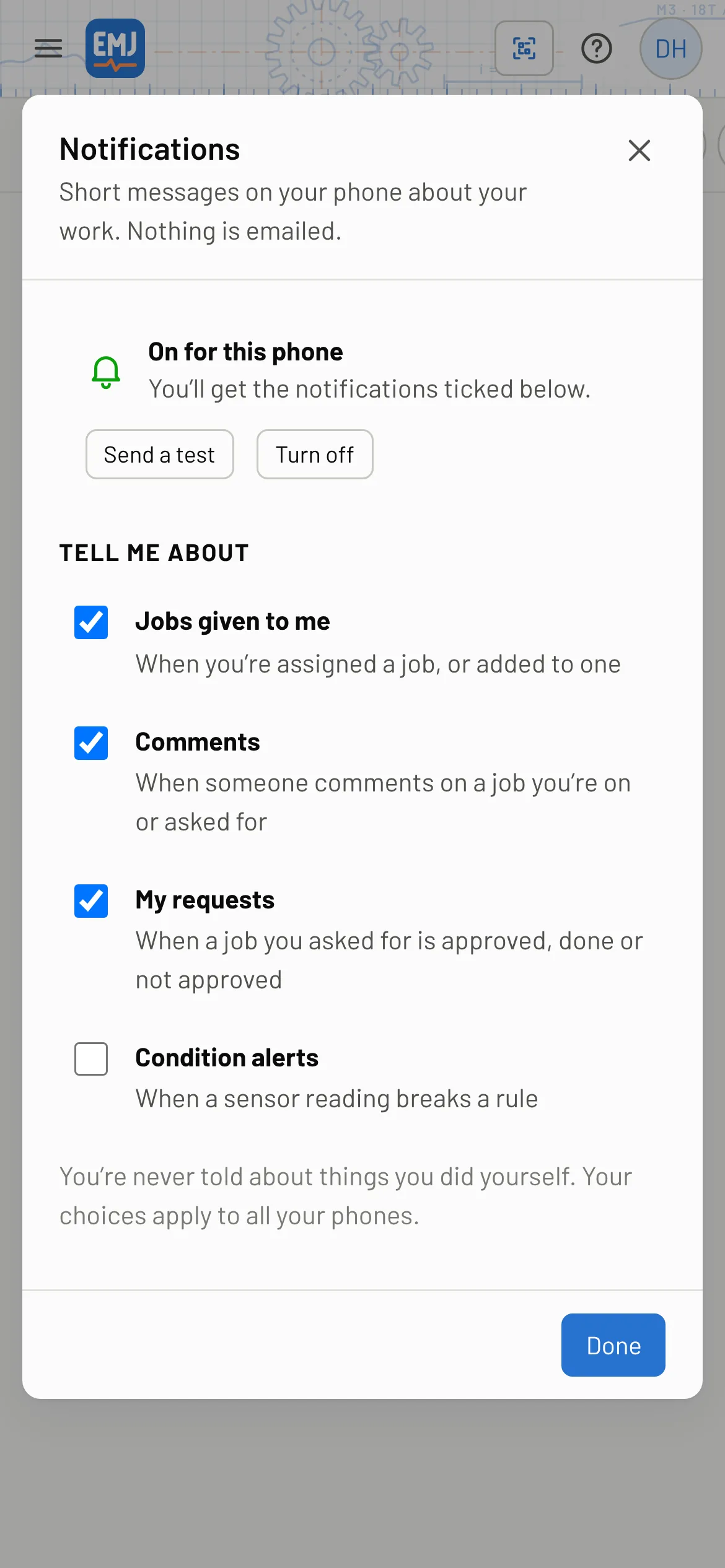
Told when you're given a job, added to one or someone comments. Each person picks what they hear about. Email is kept for condition alerts.
Shared crew phones
A crew can share one phone: tap your name, type your PIN. Every job and photo is recorded against the right person.
Requests without an account
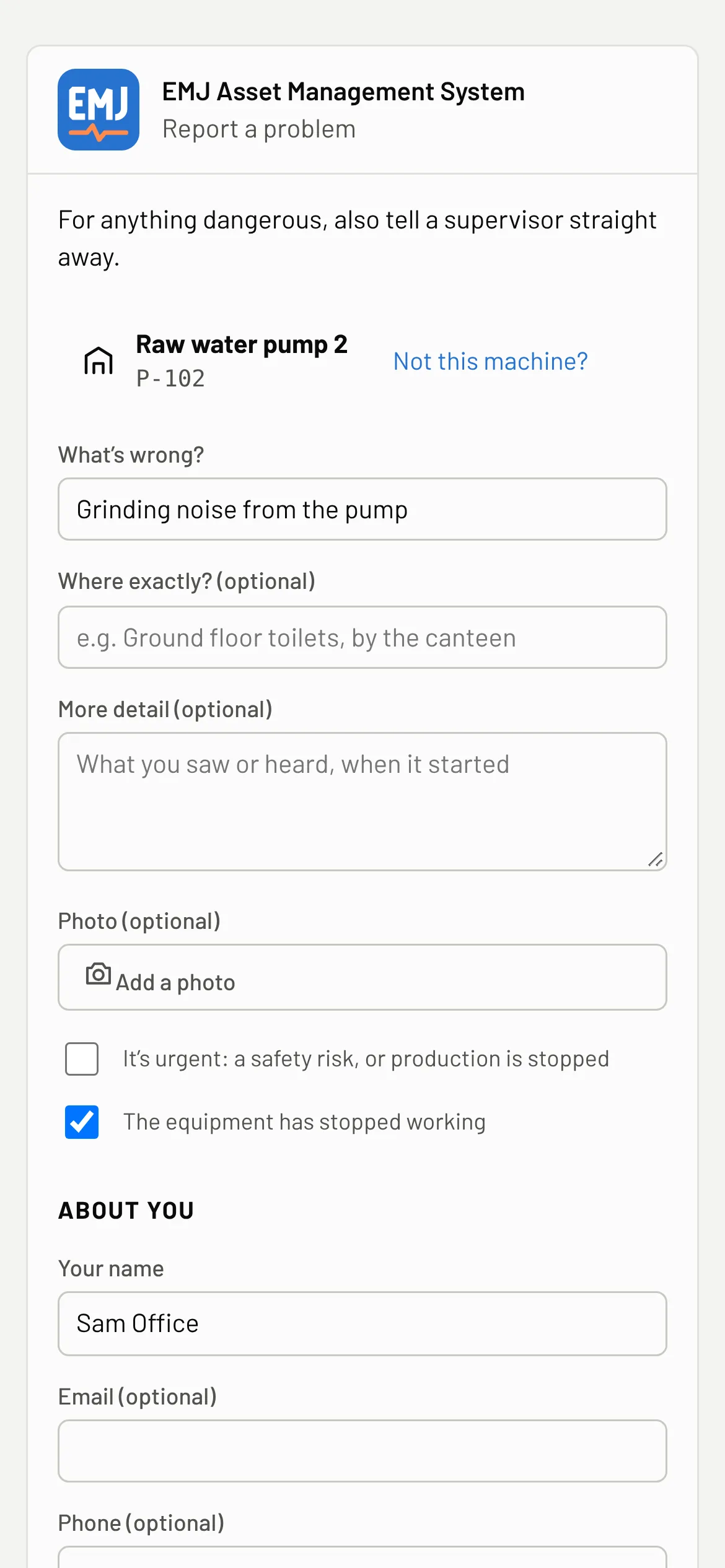
Office staff, cleaners and contractors report a fault from a poster, a link or a machine's QR label. Requests wait for approval.
LOTO evidence
Jobs can't be closed without saying whether isolation was needed, and a lock-off photo if it was. Active lock-offs on the dashboard.
Designed for a phone in a plant room.
Technicians see their jobs, tick off the checklist, book time and parts, and take the lock-off photo without going back to the office.
- Works offline: changes sync when the signal comes back
- Scan the machine, raise the job, done
- A notification when you're given a job, added to one, or someone comments
- Big buttons, readable in bright light, dark mode for nights
- Shared crew phones: tap your name, type a 4-digit PIN
- Stays signed in; updates itself

Most breakdowns announce themselves.
Vibration creeps up, a bearing runs warm, motor current drifts. Our condition monitoring service watches your critical machines and raises the work order before the line stops.
Ask your maintenance data a question.
No report building, no spreadsheets. Type the question the way you'd ask a colleague, and Ask EMJ answers from your own work orders, PMs, labour and stores records, with links straight to the jobs and assets.
- Highest downtime, most breakdowns, MTTR and MTBF by asset
- Parts used and what they cost, critical spares below minimum
- PM compliance and which PMs were late, overdue work, labour by person
- Read-only: it can't change anything, and only shows costs to people allowed to see them
- Switched on by your administrator; your data is never used to train AI models
P-101 Raw water pump 1 had the most downtime: 17.0 h over 2 breakdowns (MTTR 8.5 h).
| Asset | Down | Breakdowns |
|---|---|---|
| P-101 Raw water pump 1 | 17.0 h | 2 |
| C-401 Service air compressor | 6.0 h | 1 |
| DP-301 Coagulant dosing pump | 4.0 h | 1 |
WO-00034 to replace P-101’s NDE bearing is still open, due 12 Nov.
Example conversation using the demo site's data.
For larger teams.
Your own branding Business
Your company name, logo and colour on the system, the phone app, emails and reports.
Sign in with Microsoft or Google Business
Your team signs in with their Microsoft 365 or Google Workspace work account, and leavers lose access when IT closes their account. Turn passwords off if you like.
Want to see it on your own equipment?
Book a 20-minute demo, or try it free on your site for 30 days.